Part 5: NaN, Infinity and the Rules of Weird Math
25 Dec 2025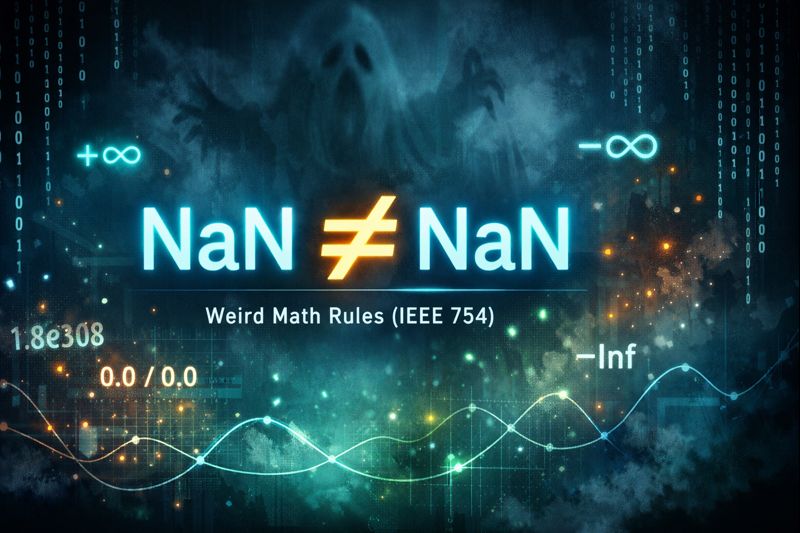
This post is part of my Floating Point Without Tears series on how Java numbers misbehave and how to live with them.
Floating point math is fast, useful, and occasionally haunted. Not philosophically, literally haunted, as in values that aren’t equal to themselves.
NaN != NaNevaluates totrue
IEEE 754 formalizes that haunting by defining special values that let computations continue while still signaling trouble. They look like broken math until you realize they’re doing damage control.
Why Special Values Exist in Floating Point
In Part 1 of this series1, we saw how floating-point numbers work: they use a fixed number of bits to represent the sign, exponent, and significand (mantissa). This representation has limits:
- Largest representable number: Around
1.8 × 10^308for doubles (Double.MAX_VALUE) - Smallest positive normalized number: Around
2.2 × 10^-308(Double.MIN_NORMAL) - Smallest positive nonzero number: Around
4.9 × 10^-324(Double.MIN_VALUE) - Precision: Limited by machine epsilon (about 2.22 × 10^-16 near 1.0, i.e., Math.ulp(1.0) = the gap between 1.0 and the next larger representable double)
But what happens when you compute something that exceeds these limits?
double huge = 1e308;
double overflow = huge * 10;            // Exceeds max value
double gradual = Double.MIN_NORMAL / 2; // Becomes subnormal (gradual underflow)
double underflow = Double.MIN_VALUE / 2; // Falls below min value → +0.0
double undefined = 0.0 / 0.0;           // Mathematically meaningless
IEEE 754 could have made these operations:
- Throw exceptions (slow, interrupts computation)
- Wrap around to negative values (confusing, hides errors)
- Return arbitrary garbage (dangerous)
Instead, it reserves special bit patterns in the exponent field to represent infinity and NaN. These aren’t normal numbers; they are sentinel values that signal “something unusual happened, but computation can continue.”
The Bit Pattern Trick
A double uses 11 bits for the exponent. IEEE 754 reserves special patterns for edge cases:
| Exponent bits | Significand (fraction) | Meaning |
|---|---|---|
| all 0s | all zeros | ±0.0 (sign bit determines +/−) |
| all 0s | non-zero | subnormal numbers |
| 1..2046 | any | normal numbers |
| all 1s (2047) | all zeros | ±Infinity (sign bit determines +/−) |
| all 1s (2047) | non-zero | NaN |
This means you can check for special values with simple bit operations - no exceptions, no branching overhead in critical inner loops. In Java you normally just use Double.isNaN(x) and Double.isInfinite(x), which are implemented efficiently under the hood.
The Problem: What Should Math Return When It Breaks?
Now that we understand why special values exist (to handle edge cases without crashing), let’s see when they appear.
Consider calculating the average price change across a portfolio:
double totalChange = 0.0;
int validStocks = 0;

for (Stock stock : portfolio) {
    double change = stock.getCurrentPrice() - stock.getPreviousPrice();
    if (isValidChange(change)) {
        totalChange += change;
        validStocks++;
    }
}

double avgChange = totalChange / validStocks; // What if validStocks is 0?
If no stocks had valid data, you’re dividing 0.0 / 0. Should your program:
- Crash immediately?
- Return
0.0and pretend the average is zero (which is a lie)? - Return something that screams “this value is meaningless”?
IEEE 754 chose option three. It invented special values so errors can propagate visibly instead of silently corrupting results downstream.
IEEE 754 Special Values
IEEE 754 defines a few “not-a-normal-number” values so computations can keep going in a principled way instead of crashing or silently inventing garbage.
1. Signed Zero: ±0.0
Before we dive into infinity, there’s a subtle detail: IEEE 754 has both +0.0 and -0.0. They both print as 0.0 and compare as equal, but they behave differently in division:
double posZero = 0.0;
double negZero = -0.0;

System.out.println(posZero == negZero);  // true
System.out.println(1.0 / posZero);       // Infinity
System.out.println(1.0 / negZero);       // -Infinity
Signed zero exists so that 1.0 / (tiny positive number → 0) gives +∞ while 1.0 / (tiny negative number → 0) gives −∞. It preserves the direction you approached zero from, which matters for continuity and limit-style reasoning (aka Calculus).
2. Infinity: +∞ and −∞
Infinity appears when a finite result cannot be represented, or when you divide a nonzero number by zero.
double posInf = 1.0 / 0.0;   // +Infinity
double negInf = -1.0 / 0.0;  // -Infinity

System.out.println(posInf);                  // Infinity
System.out.println(negInf);                  // -Infinity
System.out.println(Double.isInfinite(posInf)); // true
Infinity participates in ordering as you’d expect:
+∞is greater than every finite number−∞is smaller than every finite number
Arithmetic is mostly “limit-like”:
finite + (+∞) = +∞positive × (+∞) = +∞negative × (+∞) = −∞
But some combinations are undefined and produce NaN:
(+∞) + (−∞) = NaN(+∞) × 0.0 = NaN(+∞) / (+∞) = NaN
3. NaN: Not a Number
NaN means “this result is undefined,” like 0.0 / 0.0 or √(−1). Once NaN enters a computation, it spreads into any operation involving NaN to produce a NaN:
double nan = 0.0 / 0.0;

System.out.println(nan);           // NaN
System.out.println(nan + 5);       // NaN
System.out.println(nan * 2);       // NaN
System.out.println(Math.sqrt(nan)); // NaN
This “contagious” behavior is intentional. If a value is undefined, any result built on it should also be undefined.
The Weird Rule: NaN ≠ NaN
The key rule that feels like a logic prank but is actually a safety feature:
NaN is not equal to anything, including itself.
double nan = Double.NaN;

System.out.println(nan == nan);        // false (!)
System.out.println(nan != nan);        // true
System.out.println(nan < 5.0);         // false
System.out.println(nan >= 5.0);        // false
System.out.println(Double.isNaN(nan)); // true (correct way)
Why? Because NaN means “undefined result,” and you can’t meaningfully compare undefined values. NaN is unordered by design. There can be many NaN bit patterns (IEEE 754 supports “signaling” and “quiet” NaNs with different payloads), but Java generally treats them as “some NaN” unless you inspect raw bits with Double.doubleToRawLongBits().
Think of it like asking whether two error messages are “the same error.” Even if both say “Error,” you don’t know if they represent the same underlying problem. The comparison itself is meaningless.
Never check for NaN with ==. Use Double.isNaN(x) instead.
NaN and Sorting: Two Different Worlds
This is where things get interesting. Java has two ways to compare doubles, and they behave differently with NaN:
IEEE 754 comparisons (==, <, <=, etc.):
- Any comparison with NaN returns
false - These are what you use in
ifstatements
Java’s total order (Double.compare(), Double.compareTo())2:
- NaN is considered greater than all other values, including
+∞ - All NaNs are considered equal
- This is what
Arrays.sort()andArrays.binarySearch()use
double[] values = {3.0, Double.NaN, 1.0, 2.0};
Arrays.sort(values);
System.out.println(Arrays.toString(values));
// [1.0, 2.0, 3.0, NaN] -- guaranteed by Java spec

// IEEE comparison says "not sorted":
System.out.println(values[2] <= values[3]); // false (3.0 <= NaN is false)

// Total order says "sorted":
System.out.println(Double.compare(values[2], values[3]) <= 0); // true
The gotcha: If you validate sortedness using <=, you’ll get false negatives when NaN is present. If you need to check ordering, use Double.compare(a, b) <= 0 instead.
IEEE comparisons answer “is this mathematically ordered?” while Java’s total order answers “can we put these in a consistent sequence for sorting?” The Arrays Javadoc basically says exactly that: < is not a total order for doubles, so sorting uses the total order from Double.compareTo.
The good news: Arrays.sort() and Arrays.binarySearch() work correctly with NaN because they use the total order internally. The NaN will consistently end up at the end of the array.
Quick Reference: Comparison Table
| Operation | Result | Reason |
|---|---|---|
NaN == NaN |
false |
IEEE comparison: unordered |
NaN != NaN |
true |
Same reason |
NaN < 5.0 |
false |
NaN fails all IEEE comparisons |
NaN >= 5.0 |
false |
Same |
Double.compare(NaN, 5.0) |
> 0 |
Total order: NaN > everything |
∞ > 1e308 |
true |
Infinity is greater than all finite values |
0.0 == -0.0 |
true |
Signed zeros compare equal |
1.0 / 0.0 |
+∞ |
Division by zero produces infinity |
0.0 / 0.0 |
NaN |
Indeterminate form |
∞ − ∞ |
NaN |
Undefined operation |
Practical Takeaways
- Never check NaN with
==. UseDouble.isNaN(x). - Log early for special values when debugging “impossible” totals:
   if (Double.isNaN(result)) {
       log.error("NaN detected at step X");
   }
   if (Double.isInfinite(result)) {
       log.error("Infinity detected at step X");
   }
- Use the right comparison for the job:
==for value equality,Double.compare()for ordering. - Understand the contagion: Once NaN enters your calculations, it spreads. Trace backward to find the division by zero or invalid operation that spawned it.
The Philosophical Bit
NaN isn’t a bug. It is math raising its hand and saying, politely but firmly:
“I can’t promise anything from here.”
When your balance sheet shows NaN, don’t curse floating point. Ask what division by zero or invalid square root you missed three steps ago. The special values aren’t betraying you; they’re the only honest answer to questions that have no answer.
In the next post, we’ll look at how to actually handle these special cases in production code without littering your logic with endless isNaN() checks.